



PunchOut Coupa: connecting your Magento 2 catalog
Coupa is the second most requested procurement system for PunchOut. Its approach is lighter than Ariba in some areas, but comes with its own quirks. A practical guide for Magento and Adobe Commerce.
In this article
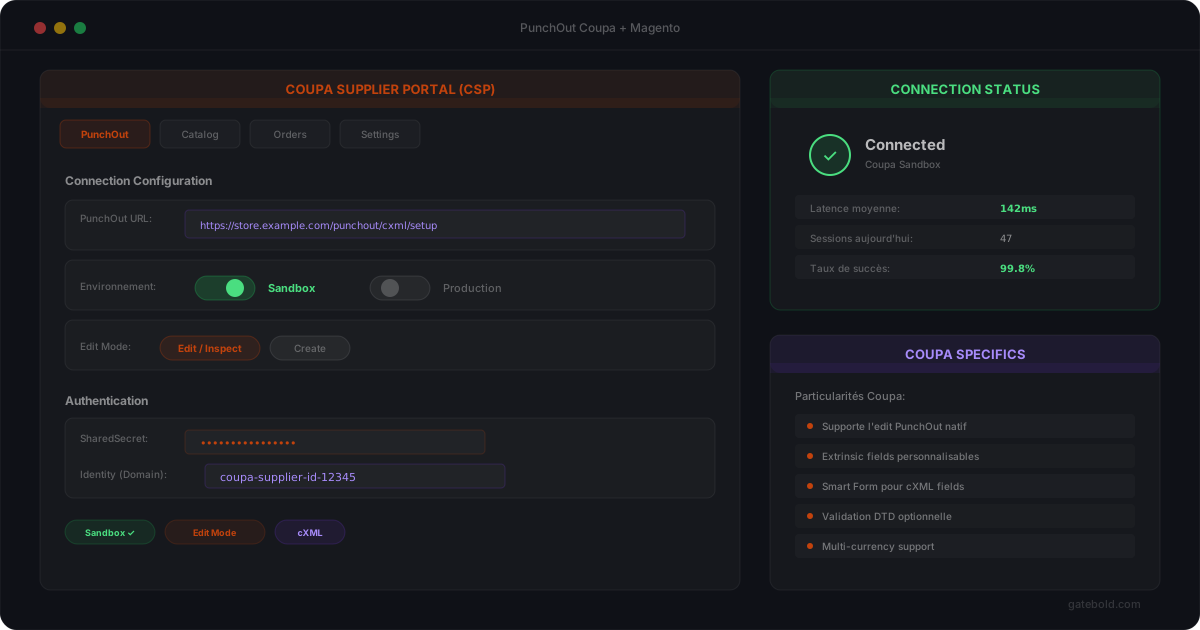
Coupa is the second most common e-procurement platform in PunchOut projects, after SAP Ariba. Its approach aims to be more modern and simpler, but it has its own conventions that you need to be aware of.
Coupa vs Ariba: key differences
| SAP Ariba | Coupa | |
|---|---|---|
| Protocol | Strict cXML | cXML + variants |
| Authentication | ANCI + SharedSecret | SharedSecret only |
| Supplier portal | Ariba Network | Coupa Supplier Portal (CSP) |
| Sandbox | Via buyer invitation | Built into the CSP |
| Edit mode | Supported | Heavily used |
| Mapping requirements | Strict | Varies by client |
The PunchOut flow with Coupa
Coupa
Sends a PunchOutSetupRequest (SharedSecret)
Supplier
Validates the secret, creates a session, generates the URL
Coupa
Receives the session URL, redirects the requisitioner
Requisitioner
Browses the catalog, builds their cart
Catalog
Sends the cart via the connector
Supplier
Builds the PunchOutOrderMessage and sends it
Coupa authentication
Coupa uses simpler authentication than Ariba. No ANCI - the PunchOutSetupRequest contains a shared secret in the Sender > Credential block, and that secret is the sole authority.
Validation consists of verifying that the shared secret matches the one configured for that buyer connection. No third-party network to query.
The Coupa Supplier Portal (CSP)
Unlike Ariba, Coupa offers an integrated supplier portal (CSP) where you can:
- View the status of your PunchOut connections
- Test flows in sandbox directly from the portal
- Review generated purchase orders
- Manage your hosted catalogs
This portal simplifies the testing phase. You do not need to wait for an invitation - sandbox access is built in.
Edit mode: a Coupa specialty
Coupa makes heavy use of PunchOut Edit mode. When a requisitioner has already added items to their cart in Coupa, they can return to your store to modify their selection.
The PunchOutSetupRequest then contains operation="edit" along with the existing items:
Requisitioner
Has an existing cart in Coupa
Coupa
Sends a PunchOutSetupRequest with operation="edit"
Catalog
Pre-populates the cart with the existing items
Requisitioner
Modifies their selection (add, remove, change quantities)
Catalog
Sends back the complete cart (not just the changes)
This is a point often overlooked in custom integrations - a cart that does not pre-populate in edit mode frustrates requisitioners.
Common pitfalls with Coupa
Extrinsic fields - Coupa may require custom fields in the cart return: cost centers, project codes, accounting codes. These fields vary from client to client.
Description formatting - Coupa is sensitive to description length. Unescaped HTML causes a broken display on the buyer side.
Tax handling - Some Coupa clients expect taxes in the PunchOutOrderMessage, others do not. This is a per-buyer configuration, not a standard.
When a cart fails to return or a session breaks, diagnosis depends on the Status codes Coupa returns. See our guide on how to debug cXML and the most common errors by buyer.
Testing with Coupa
The testing cycle is generally shorter than Ariba:
- Access the Coupa Supplier Portal
- Configure the PunchOut connection (URL, shared secret)
- Test in sandbox from the CSP
- Validate the cart return
- Switch to production
The advantage: you can trigger tests yourself, without depending on the procurement team for each iteration.
How Gatebold handles Coupa
Gatebold supports Coupa-specific features natively:
- Edit mode handled automatically (cart pre-population)
- Shared secret per connection, with rotation support
- Extrinsic fields configurable in the mapping without code
- Observability: every Coupa exchange is traced with the full payload
For a Magento or Adobe Commerce store, Gatebold handles the Coupa protocol without any development on the store side.
Summary
Coupa is more accessible than Ariba thanks to its supplier portal and built-in sandbox. But edit mode, Extrinsic fields, and mapping variations between clients require a structured approach. For protocol context, see cXML vs OCI; for comparison with Oracle, see PunchOut Oracle Procurement.
If you are preparing a Coupa connection on Magento, let’s discuss. For the plan details, see our E-Procurement pricing.