



Published on
What is cXML and why does it matter in e-procurement?
cXML (commerce XML) is the language that procurement systems and B2B storefronts speak to each other. Understanding its key messages before starting a PunchOut project saves a lot of surprises.
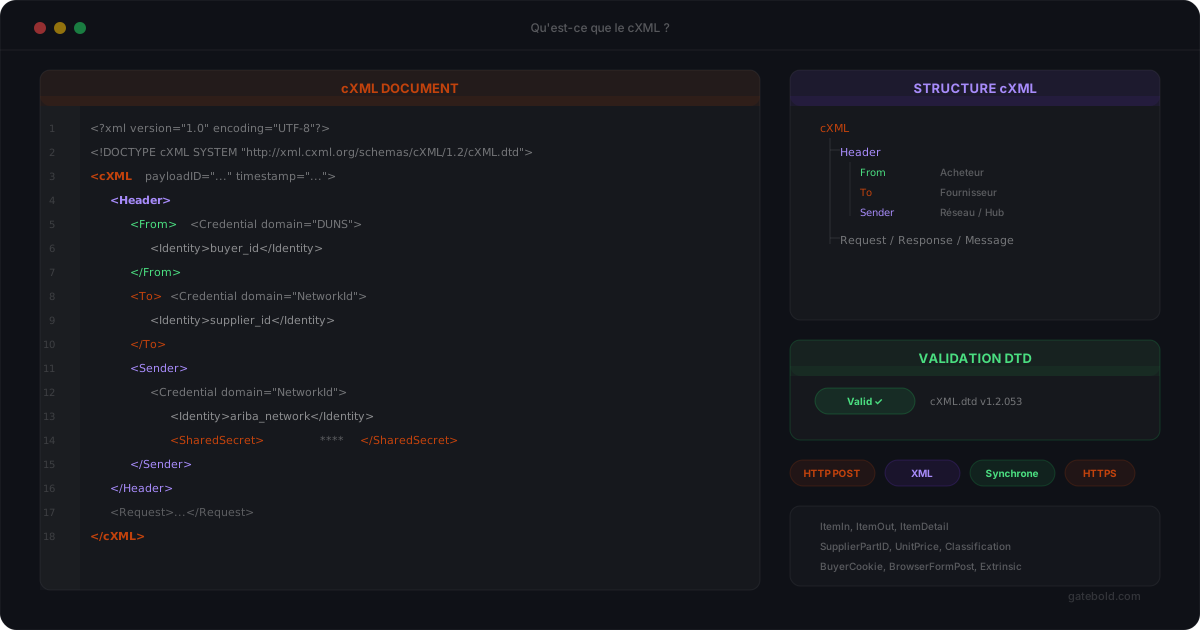
cXML - short for commerce XML - is an XML-based exchange protocol originally published by Ariba in the late 1990s, and now a de-facto standard for communication between procurement systems and B2B suppliers.
If you are working on a PunchOut project for an enterprise account, chances are high that cXML is the required format. Understanding its basics avoids learning the topic mid-integration.
What cXML is for
cXML defines how two systems exchange transactional information: opening a buying session, submitting a cart, transmitting an order, returning a confirmation, sending an invoice.
Concretely, it is a set of structured XML messages, each with a precise intent. The two systems exchange these messages over HTTPS, usually via POST, with an XML payload in the body.
The format is verbose, like any XML, but it has two qualities that matter in B2B:
- it is strict: the structure is known in advance, making exchanges predictable;
- it is readable: a human can open a payload and understand its content.
The key messages to know
For a PunchOut project, two cXML messages do 80% of the work.
PunchOutSetupRequest
This is the message sent by the procurement system to request a buying session on the supplier’s storefront. It contains:
- the buyer’s identity (
Credentialblocks underFrom,To,Sender) - information about the user starting the session
- a return URL (
BrowserFormPost) where the storefront must send back the cart - optionally, contextual information (currency, language, country)
The storefront responds with a PunchOutSetupResponse containing a start URL (StartPage). The procurement system then redirects the user to that URL.
PunchOutOrderMessage
This is the message returned by the storefront when the user submits their cart. It contains:
- the original session header
- the list of items (
ItemIn) with quantities, prices, descriptions, classifications - the product codes expected by the buyer (often UNSPSC, internal codes, supplier SKUs)
- units of measure, taxes, and any contractually relevant data
This is the message that, once received by the procurement system, feeds the internal cart for approval.
Why cXML mapping is so tricky
The cXML standard describes the general structure, but every enterprise buyer adds its own rules:
- custom fields inside extensions
- specific classifications (internal codes, business categories)
- non-standard units of measure
- specific codification of taxes or shipping fees
The result: a PunchOutOrderMessage that satisfies Ariba won’t necessarily satisfy Coupa, and a message that works for buyer A may be rejected by buyer B.
This is why a structured cXML mapping - with a common base and per-buyer profiles - changes a project’s life: you stop rewriting 80% of the code with every new buyer.
cXML and alternatives
cXML remains dominant in the Ariba / Coupa / Oracle world. Other formats exist (OCI for SAP, BMEcat in some regions, OAGIS for broader integrations), and some buyers offer more modern JSON or REST APIs.
But for typical B2B PunchOut projects, particularly on Magento and Adobe Commerce, cXML is the format you will encounter most often. Mastering it correctly saves a lot of production surprises.
In short
cXML is the XML protocol that lets procurement systems and B2B storefronts exchange sessions and carts in a structured way. Two messages - PunchOutSetupRequest and PunchOutOrderMessage - cover the essentials of a PunchOut flow.
The difficulty comes less from the protocol itself than from the mapping between your catalog data and each buyer’s specific expectations.
If you want to see how Gatebold structures this mapping to keep it maintainable, let’s talk.