



UNSPSC mapping in PunchOut: why it matters and how to structure it
UNSPSC codes are often required by procurement systems in the PunchOutOrderMessage. Understanding this classification, common mistakes, and how to structure the mapping to avoid rejections.
In this article
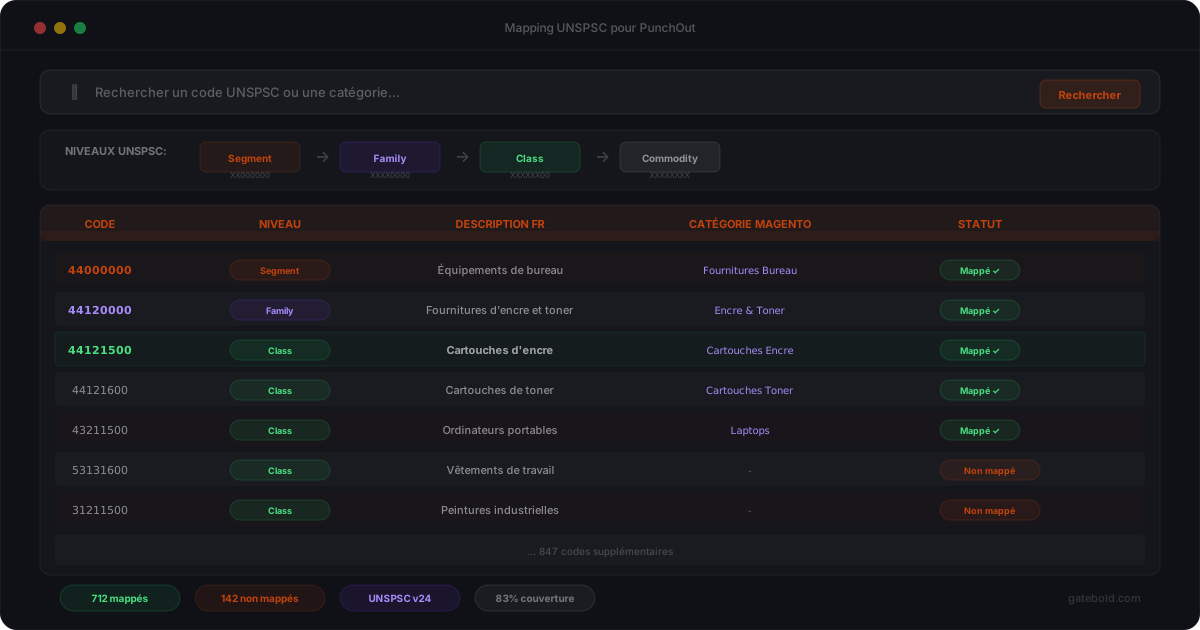
When a procurement system receives a PunchOutOrderMessage, it does not settle for just the product name and price. Most large enterprises require a UNSPSC classification code for each item. Without this code - or with an incorrect one - the cart is rejected or miscategorized on the buyer side. The UNSPSC code fits into the PunchOut flow during cart return.
What is UNSPSC?
UNSPSC (United Nations Standard Products and Services Code) is a global classification system for products and services. Each product is identified by an 8-digit code organized into 4 levels (see our complete UNSPSC code reference):
| Position | Level | Example (44121500) |
|---|---|---|
| 44 | Segment | Office equipment |
| 12 | Family | Printing supplies |
| 15 | Class | Ink cartridges |
| 00 | Commodity | Generic (unspecified) |
Common examples:
| Code | Product |
|---|---|
| 43211500 | Laptop computers |
| 44121500 | Ink cartridges |
| 46181500 | Protective gloves |
| 31161500 | Nuts and bolts |
Why buyers require it
The UNSPSC code allows the procurement system to:
- Categorize the expense automatically into the correct budget
- Apply approval rules by category (spending cap, approver)
- Consolidate purchases by product family for negotiations
- Generate structured spend reports
Without UNSPSC, the item arrives in the procurement system without a category. It is either rejected or classified manually - which is exactly what procurement departments want to avoid.
Where the UNSPSC code appears in cXML
In the PunchOutOrderMessage, the UNSPSC code is transmitted in the Classification block of each ItemIn:
<ItemIn quantity="5">
  <ItemID>
    <SupplierPartID>SKU-7842</SupplierPartID>
  </ItemID>
  <ItemDetail>
    <UnitPrice>
      <Money currency="EUR">45.00</Money>
    </UnitPrice>
    <Description xml:lang="en">Black ink cartridge</Description>
    <UnitOfMeasure>EA</UnitOfMeasure>
    <Classification domain="UNSPSC">44121500</Classification>
  </ItemDetail>
</ItemIn>
The domain="UNSPSC" identifies the classification system. The code 44121500 identifies the product.
Common mistakes
1. No code at all
The Classification field is missing. Some procurement systems accept this but categorize the item as “miscellaneous” - which the buyer does not want.
2. Code too generic
Using 44000000 (Office equipment) instead of 44121500 (Ink cartridges). The code is technically valid but useless for categorization.
3. Incorrect code
A code that does not match the product. Example: 43211500 (Laptop computers) for an ink cartridge. The procurement system applies the wrong approval rules.
4. One code for the entire catalog
Mapping all products with the same UNSPSC code. Quick to implement but defeats the purpose of classification.
5. Code not recognized by the buyer
UNSPSC has multiple versions. A code valid in version 24 may not exist in version 19 used by the buyer.
How to structure UNSPSC mapping
The recommended approach is a three-level mapping:
Default mapping
One UNSPSC code per product category. Covers 80% of cases.
Product override
Some products have a specific code different from their category.
Buyer override
A buyer requires a different UNSPSC version or a custom mapping.
This approach lets you start quickly (level 1) and then refine (levels 2 and 3) without reconfiguring everything. To quickly explore codes by segment, our UNSPSC reference lists categories with their sub-levels.
UNSPSC mapping in Gatebold
The Gatebold Mapping Engine natively handles UNSPSC classification:
- Category mapping: Magento category -> automatic UNSPSC code
- Product override for specific cases
- Buyer override for clients with different requirements
- Validation: the code is verified before sending in the
PunchOutOrderMessage
The mapping is configured in the Gatebold platform, not in Magento code. Each buyer can have their own classification configuration.
Summary
UNSPSC mapping is a topic that seems minor at the start of a PunchOut project - until the first cart is rejected because the code is missing or incorrect. Structuring the mapping from the start (category -> product -> buyer) avoids emergency fixes in production.